

Run it like we do.
The Platform Console is the screen we run Missived from: how busy the servers are and what to upgrade, the plans and limits every workspace gets, notices to everyone, sign-in and audit records, and the test log. It ships in the open-source self-hosted edition, so you run your install with the same tools we use. It works from counts and settings: nothing in it opens a workspace's messages, files or calls.
Plainly: Missived is in beta. Everything on this page is merged and running. A few parts are marked Hosted only because they belong to the service we run: billing, ordering our servers, and our sign-up lists.
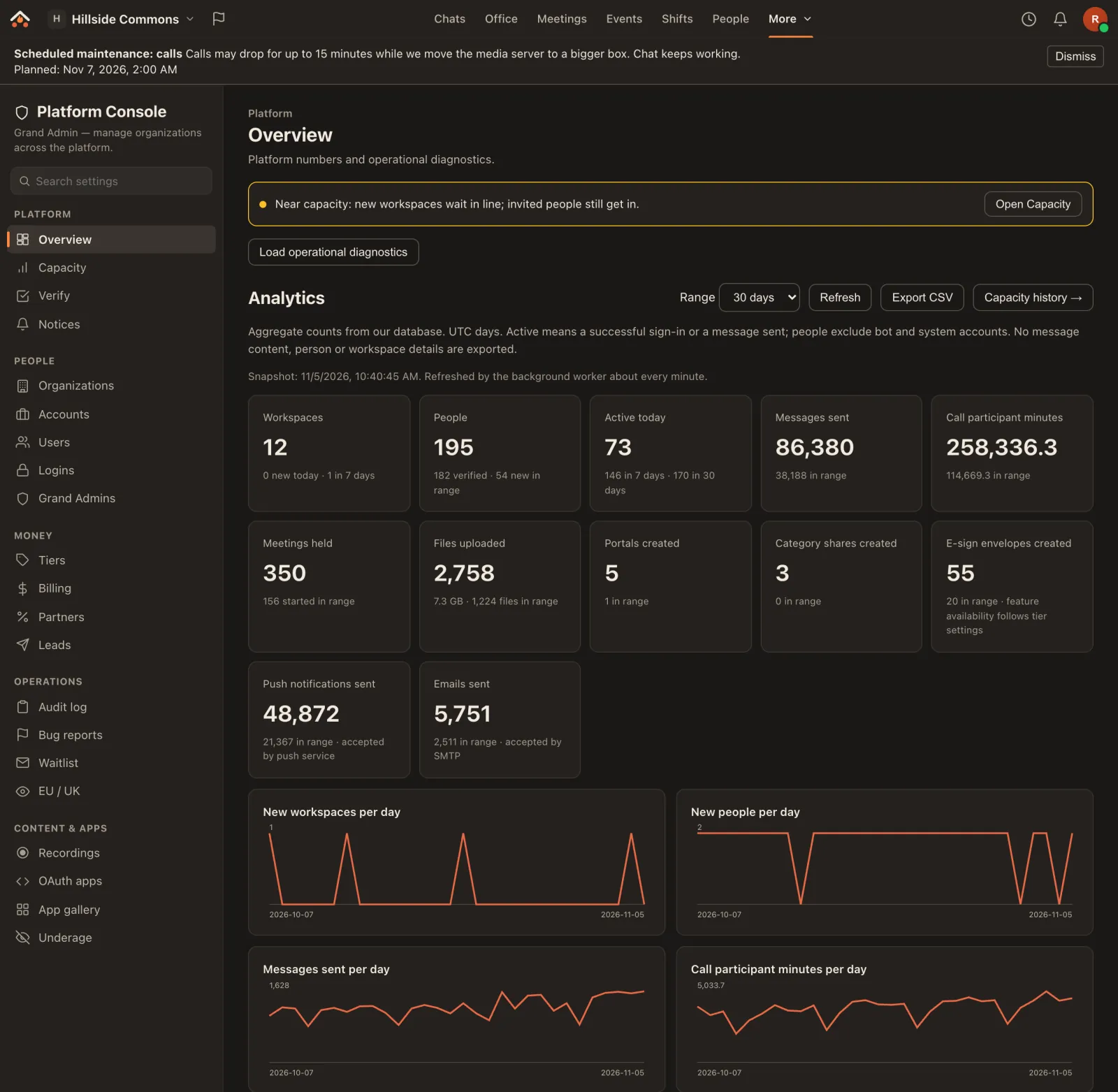
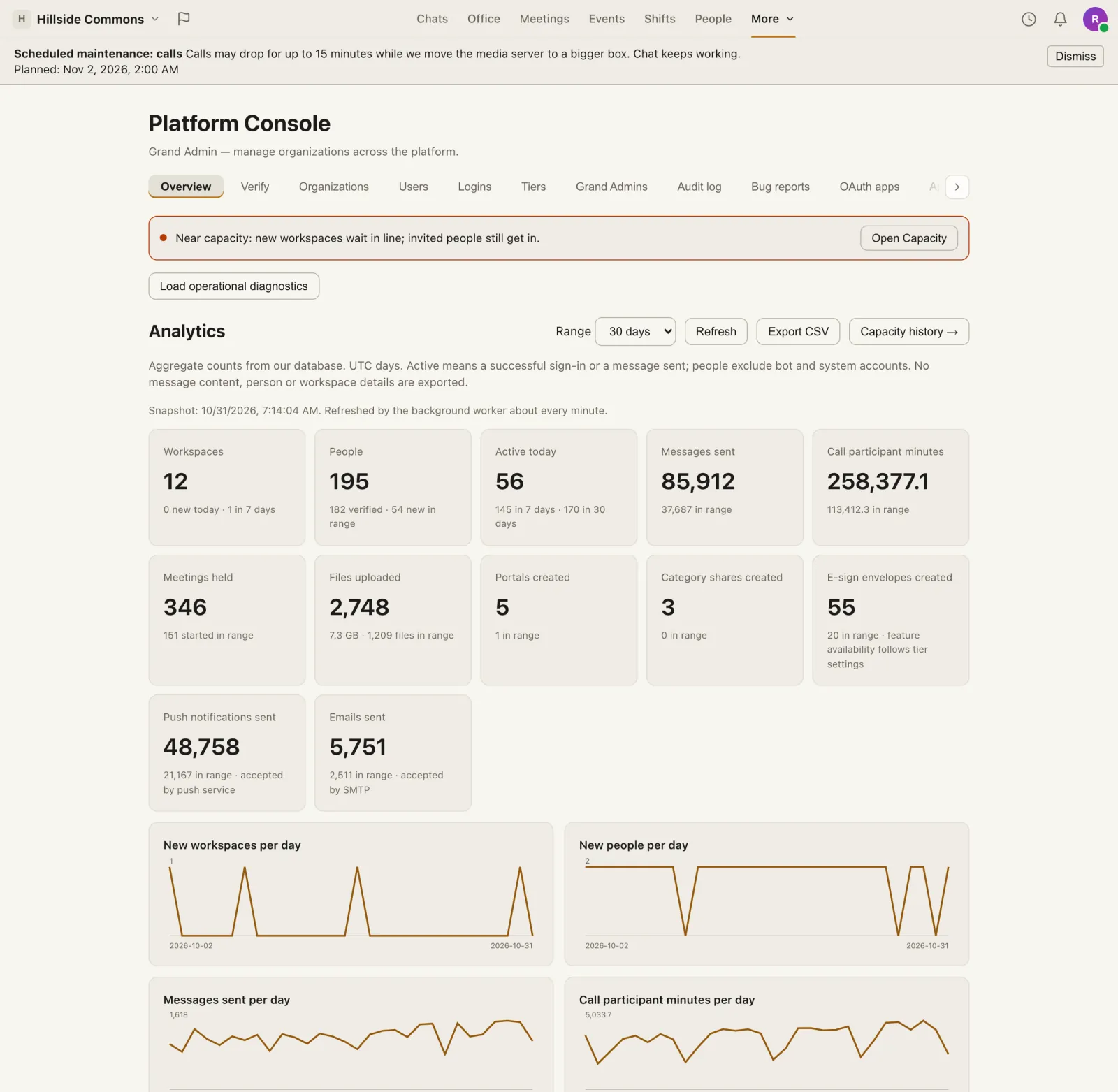
Your install, or your dedicated instance
Below, Both means it's in the self-hosted edition and on the service we run; Hosted only means it belongs to the service we run and stays off on a self-hosted install.
You're the Grand Admin
- The address you install with becomes the platform admin, and /admin opens the Console.
- Every plan feature is on, storage is uncapped and there are no prices or trials, so Tiers is where you set caps and video quality for your own people.
- Its numbers come from your install's own database. None of them are sent to us.
We run your instance with it
- Your dedicated instance is run by us: our team watches its capacity, upgrades and notices from this Console.
- You get Org Settings for your own workspaces, your audit log streamed to your own tools, and a maintenance notice in the app before we touch anything.
- An upgrade to your servers is approved by a person, never ordered by itself.
Know before it's full, and approve every upgrade yourself
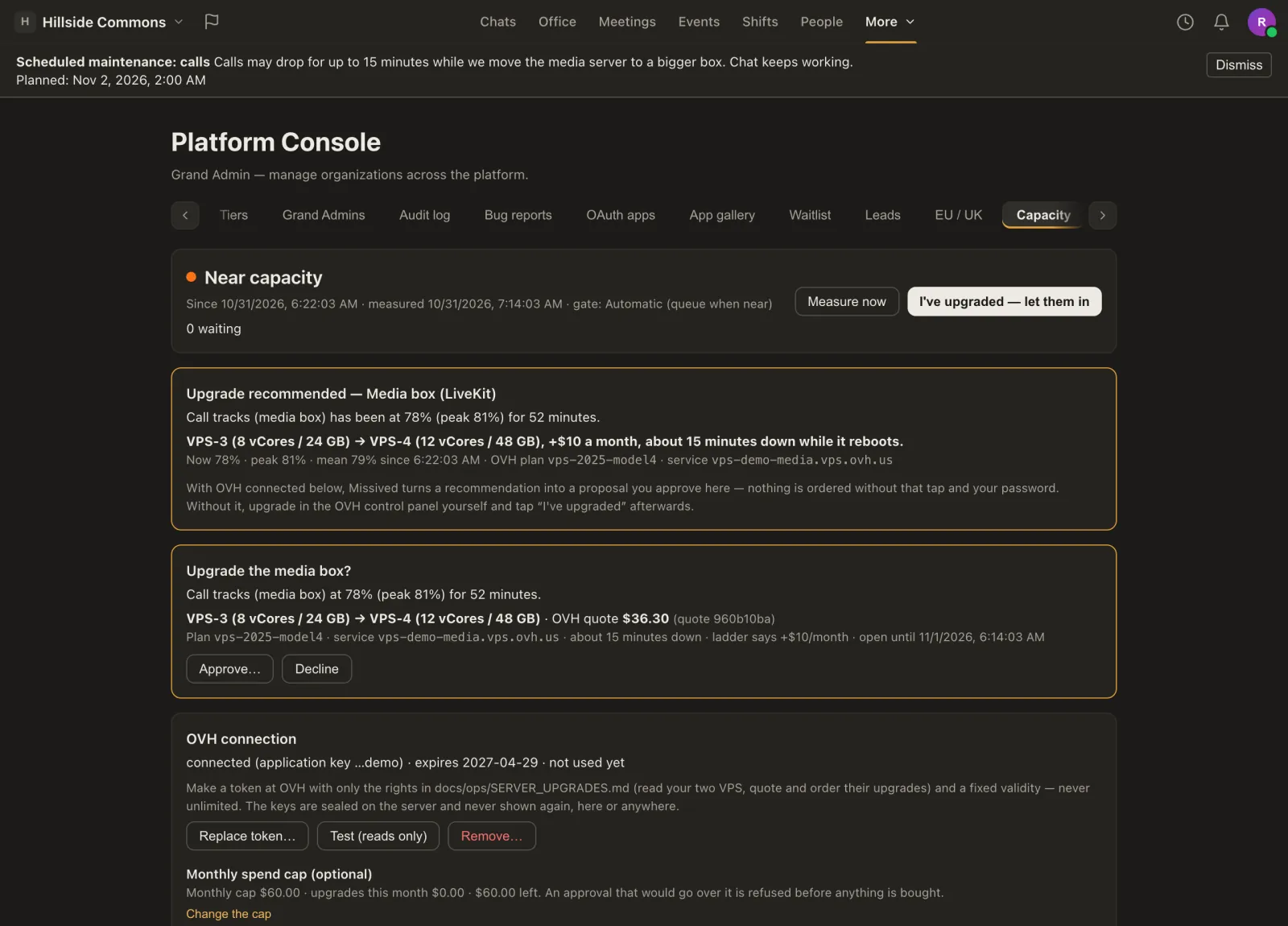
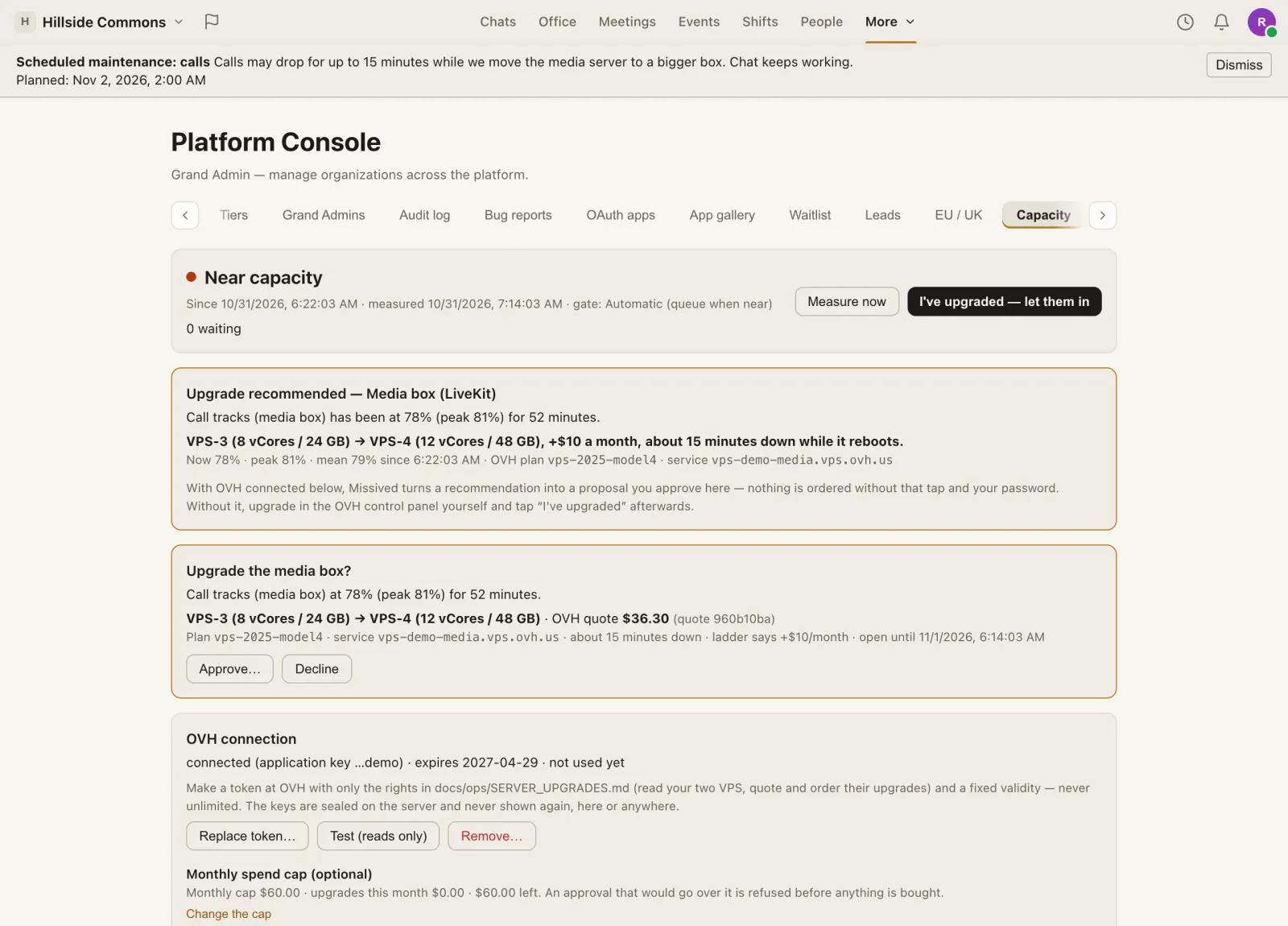
- Live readings for what actually runs out: the API's thread, the app server's CPU and memory, chat connections, Postgres connections, the database pool and call tracks on every media server, with 24 hours of history. Both
- Sustained, never an instant. A reading counts once it has held for minutes, and an alert comes once per episode, not once a minute. Both
- A line instead of an outage. Near full, new workspaces wait while invited people still get in, and you let the line in when there's room. Off by default on a self-hosted install. Both
- A concrete upgrade. After 30 busy minutes on a server, the smallest bigger model on your own list that brings everything under 60%, with its monthly price and expected downtime, shown in the Console. On the hosted service Grand Admins are emailed too. Both
- Approvals, not autopilot. With an OVH key connected, a recommendation becomes a live quote and Grand Admins get a push and an email. Nothing is ordered until one of them approves with their password and second factor, inside a monthly spend cap. Then the maintenance notice goes up, the order goes in and checks confirm the bigger server. Keys are sealed on the server and never shown again. Hosted only
- Backup health. Whether continuous database backups are running and how far behind they are. They're part of our production setup; the self-hosted edition doesn't ship them and backs up with its own scripts. Hosted only
How it's going, counted from the database
The numbers that matter Both
Workspaces, people, active today and in the last 7 and 30 days, messages, call minutes, meetings, uploads, push and email, with 30 and 90 day charts and how many workspaces and people are on each plan.
No tracking anywhere Both
A background job counts from your own database about once a minute. No tracking script, no analytics company, nothing watching anyone's browser.
Totals only Both
No message text and no person or workspace details in the charts or the CSV export. The marks that say someone was active on a day expire after 31 days.
Plain definitions Both
The Console says what each number means: “active” is a sign-in or a message sent, in UTC days, and bots don't count as people.
Limits you set yourself, in one table
- Every tier's limits: members, storage, audio quality, recording days, how many people in the office at once, camera and screen share ceilings, integration counts and the largest upload. A change applies to every workspace on that tier at once. Both
- One workspace, different limits. Override the member limit, storage, voice seats or people in a meeting for a single workspace, and suspend or reactivate workspaces and accounts. Both
- Sign-up trials and billing. The trial plan and length, past-due accounts, Stripe products and refunds with a written reason. Hosted only
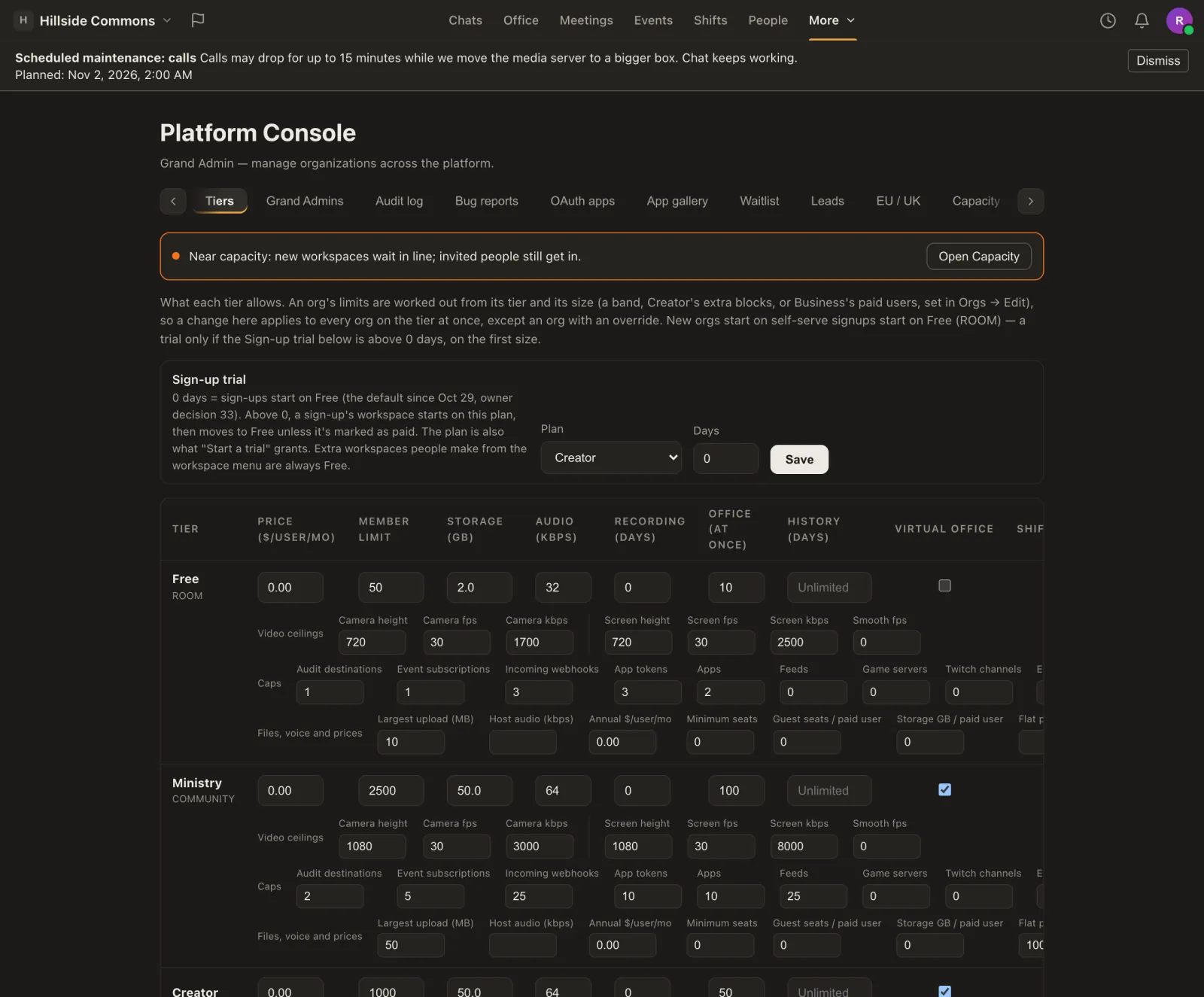
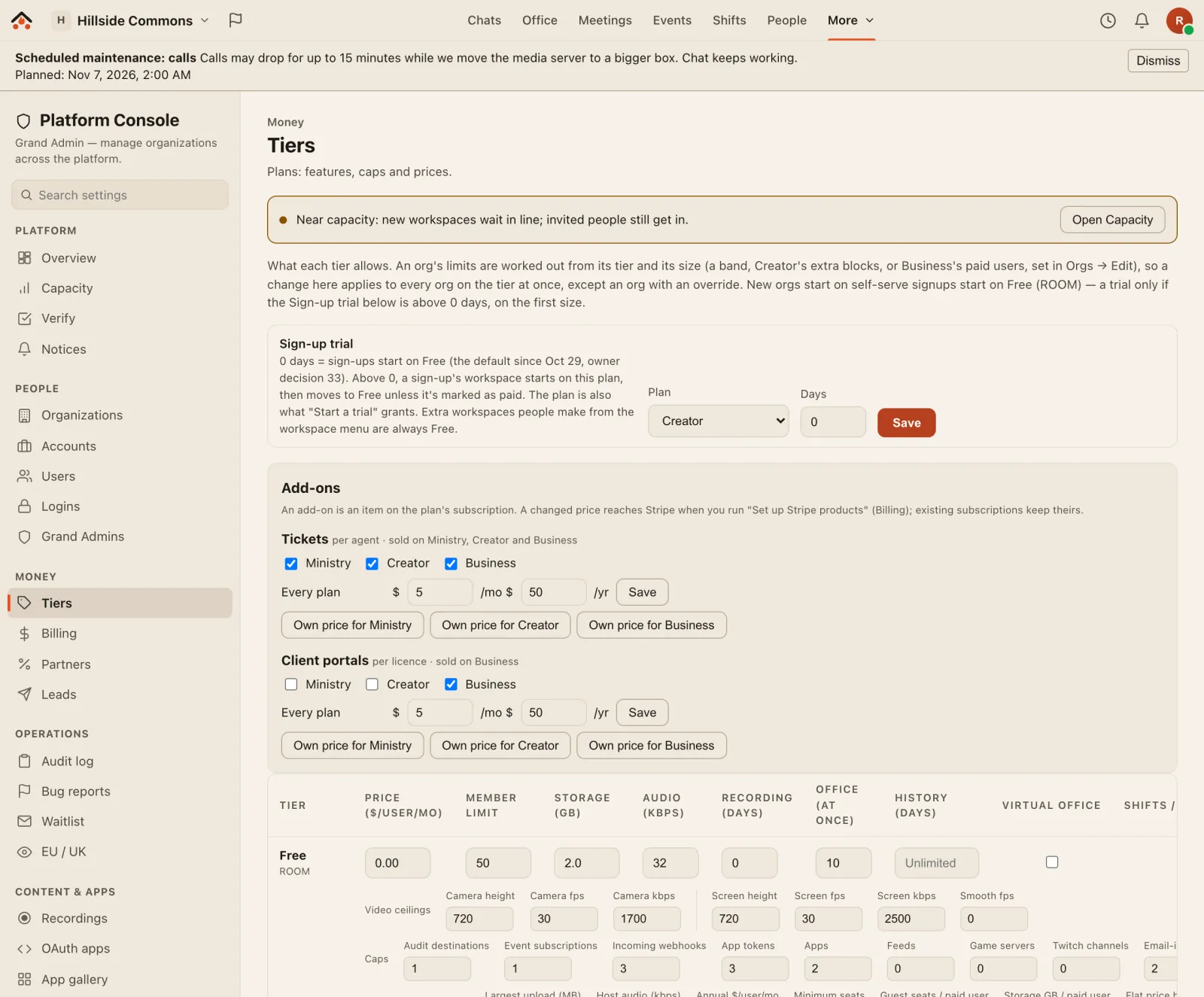
Tell everyone before anything changes
The bar across the top of every picture on this page is one: a scheduled maintenance notice, as people see it in the app.
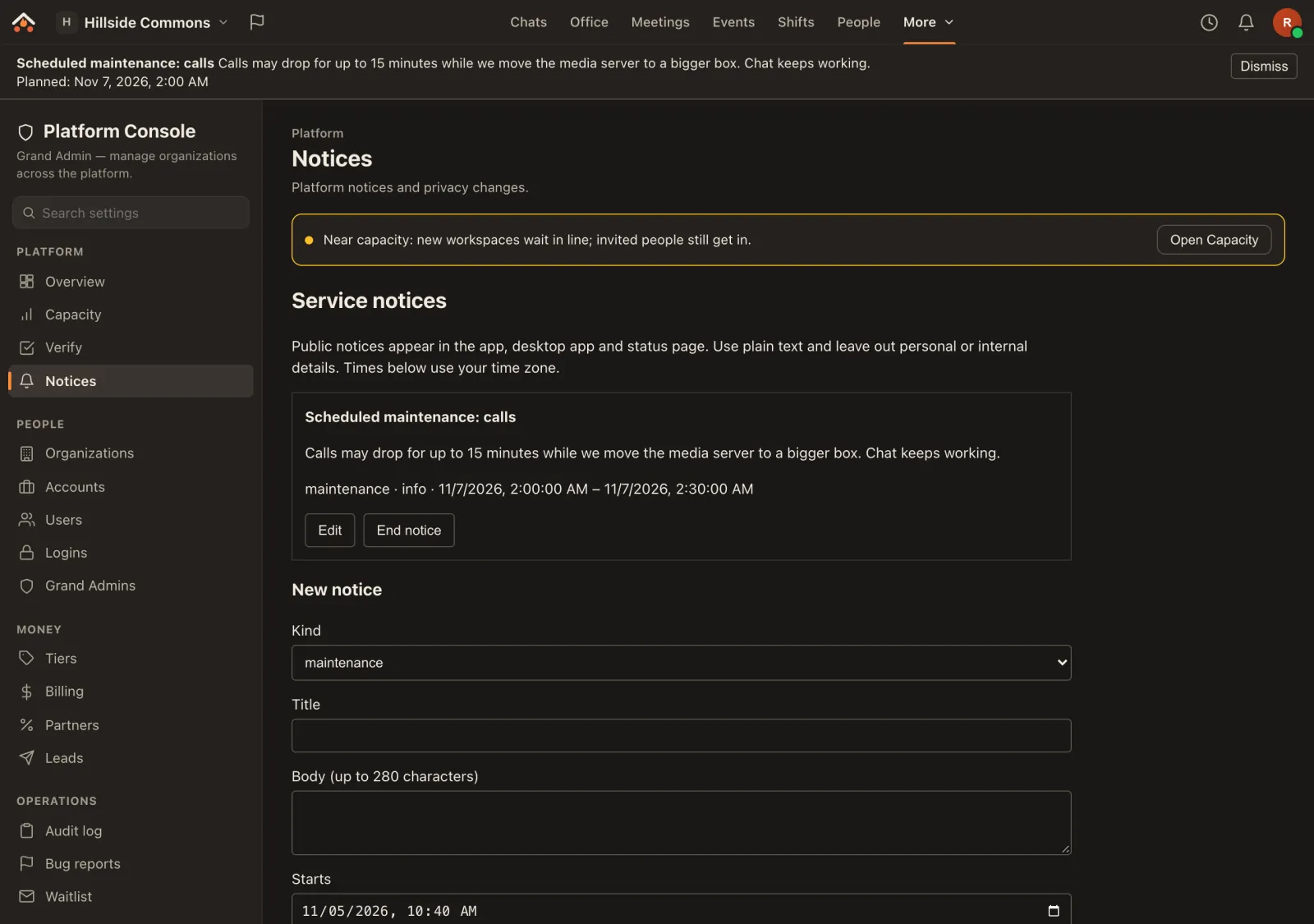
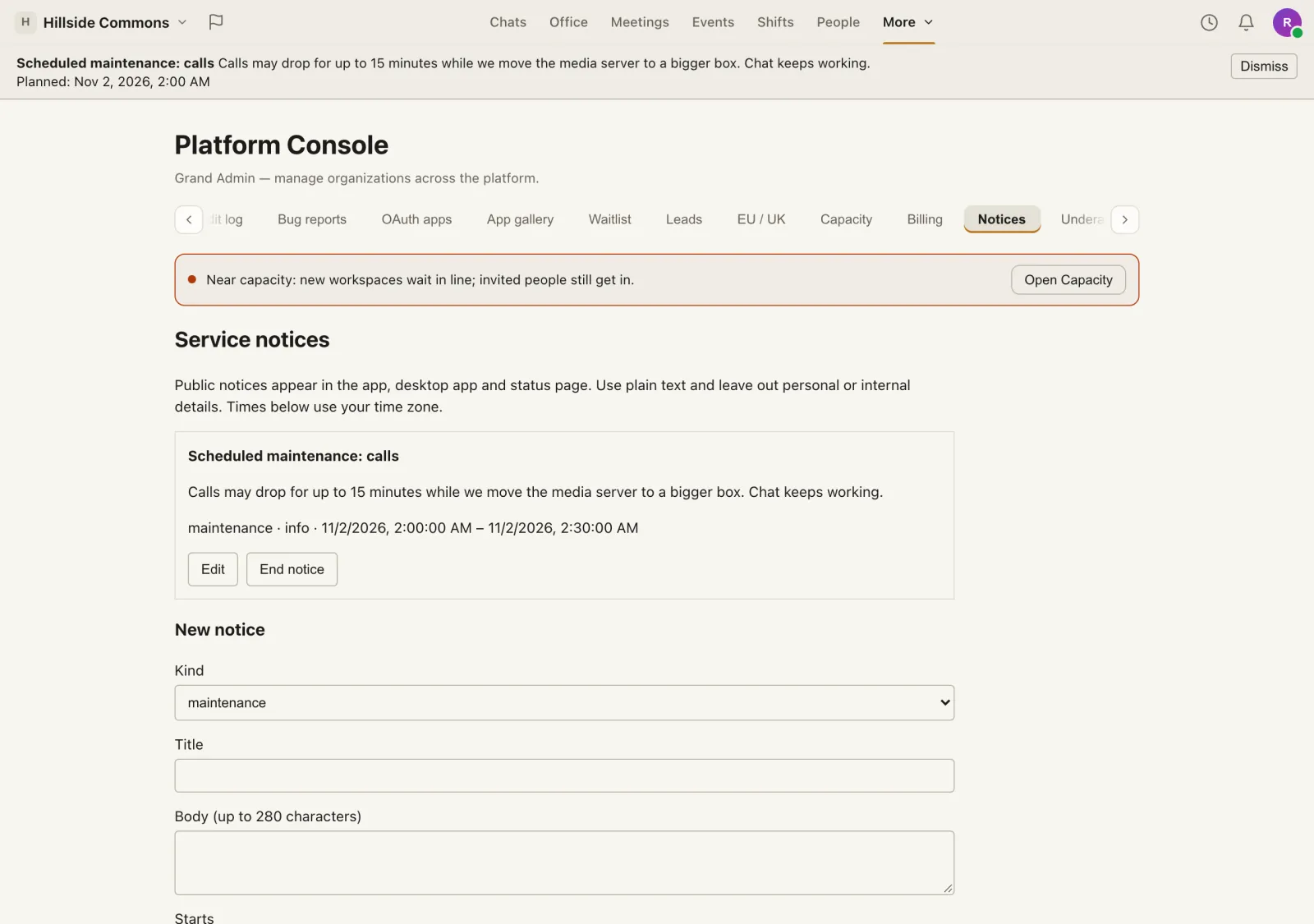
Service notices Both
Post a notice now or schedule one. It shows in the web and desktop apps with local times and a dismiss button, and on our status page for the hosted service. An approved upgrade raises its own.
A token for upgrade notices only Both
For an upgrade script: it can raise and clear upgrade notices and nothing else. Shown once, made with your password and second factor.
Privacy changes, 30 days ahead Hosted only
A material change to how we handle data is announced at least 30 days before it takes effect, with a banner and one email to every account.
Hosted names Hosted only
Requests for a name under our domain for a self-hosted install, checked and approved by a person.
See who did what, without reading anyone's messages
- Audit log of what platform admins did, and of security and sign-in events. Both
- Sign-in log with the result, the step, the IP address and the device, for spotting attacks. Both
- Security alerts by email, once per burst, when someone hammers the rate limits. Both
- Content-free server logs. The route, the status and how long it took; never message text, query strings or headers, and addresses scrambled with a key that changes every day. Both
- App review. Developers apply, listings are checked against a checklist before anyone else can install them, and suspending an app revokes its access everywhere. Both
- Bug reports and underage reports, handled in one place. The assisted bug pipeline has an off switch, and its token reads only reports people chose to share, without who sent them. Both
- A test log for every feature, with notes kept private to Grand Admins. Ours is how missived.com's “What's tested” page stays honest. Both
- Sign-up lists: the hosted-service waitlist, Enterprise enquiries and the EU / UK interest list, each kept only for its purpose. Hosted only
What the Console shows, and what it never does
- Counts and totals in analytics and its export.
- Settings and limits for every plan and workspace.
- What an operator needs to help someone or stop an attack: workspace owners' and accounts' email addresses, and sign-in records with the IP address and device. Audit and sign-in records are kept for a year.
- Reports people send us, such as bug reports, with only what the sender wrote or chose to attach.
- Messages, DMs, files or calls: the Console has no way to open a workspace's conversations.
- Tracking: no analytics company and no script in anyone's browser.
- Your passwords or keys: the server keys it holds are sealed and never shown again.
More in our privacy promise.
What people ask about the Console
Is the Console in the free self-hosted edition?
Yes. It's the same code, released as open source under the AGPL. The parts marked Hosted only stay switched off on a self-hosted install, because they belong to the service we run.
Does Missived see my self-hosted install's numbers?
No. The Console reads your install's own database, and its analytics stay there.
Can the Console order servers by itself?
No. It recommends; a Grand Admin approves each upgrade with their password and second factor, inside a spend cap they set. On a self-hosted install it only recommends, and you upgrade where your servers are.
What does an Enterprise customer see?
Your dedicated instance is run by us. Your Owners and Admins use Org Settings for your workspaces and can stream the audit log to your own tools; our team keeps the instance healthy with this Console and tells you before maintenance. Talk to us about what you'd like to see.
Are these real screenshots?
Yes: the real Console on a throwaway test install. The workspaces, people and numbers are made up.